Everything you need to judge a property
Richer listing pages put the rent, rooms, availability, photos and local context together.
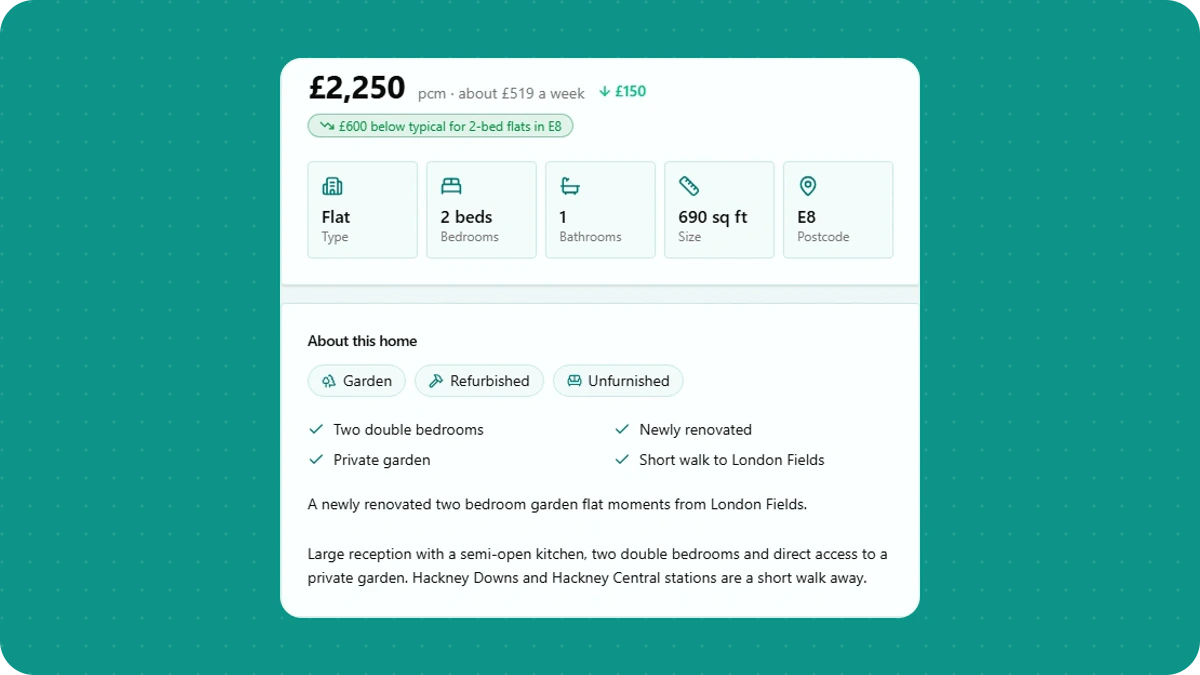
A property card tells you whether to look. The full page should help you decide what to do next.
nestrrr property pages now put the useful details in one place.
The facts first
Rent, deposit, property type, bedrooms, bathrooms and availability sit near the top. Room listings also show bills and room details when available.
You can browse the photos, read the full description and open the original advert when you are ready to enquire.
A little more context
The page explains the nestrrr score and why the home matched. Local rental data helps you see how the asking rent compares with similar properties nearby.
If more than one platform carries the same property, its source links are grouped on the same page.
It is a quicker way to work out whether a viewing is worth your time.
Check the details that change your decision
Before enquiring, confirm whether bills are included, the move-in date and whether the rent is quoted weekly or monthly. Check furnishing, deposit and any stated requirements on the original advert. A missing detail is a question for the advertiser, rather than a reason to assume the home meets your needs.
For price context, explore asking rents by area. Those figures describe the adverts nestrrr has observed, not agreed rents or a promise that a particular home is available. The score explanation describes how similar homes are compared and what happens when there is little data.
Compare before you choose
When two homes both look promising, compare them side by side to line up rent, bills, size and availability. A lower headline rent can be less useful if bills or your move-in date make the whole arrangement unsuitable.
Keep the rental search running while you wait for viewing replies. An enquiry is a next step, not a reservation.